
Download Super Calculator – Free Windows Calculator, Advanced Math Tool
Overview
Super Calculator is a free, lightweight calculator designed specifically for Windows 10 and later desktop environments. Unlike browser‑based calculators that require an internet connection, Super Calculator lives directly on your PC, providing instant access to both basic arithmetic and sophisticated mathematical functions. The application occupies a modest 271 KB of disk space, yet it packs a surprisingly rich feature set that includes trigonometric visualisation, scientific notation, and a flexible input system that supports keyboard, mouse, and touch gestures. Whether you are a student solving algebraic equations, an engineer performing complex unit conversions, a programmer needing quick binary calculations, or simply anyone who wants a reliable, offline math tool, Super Calculator delivers a fast, secure, and user‑friendly experience.
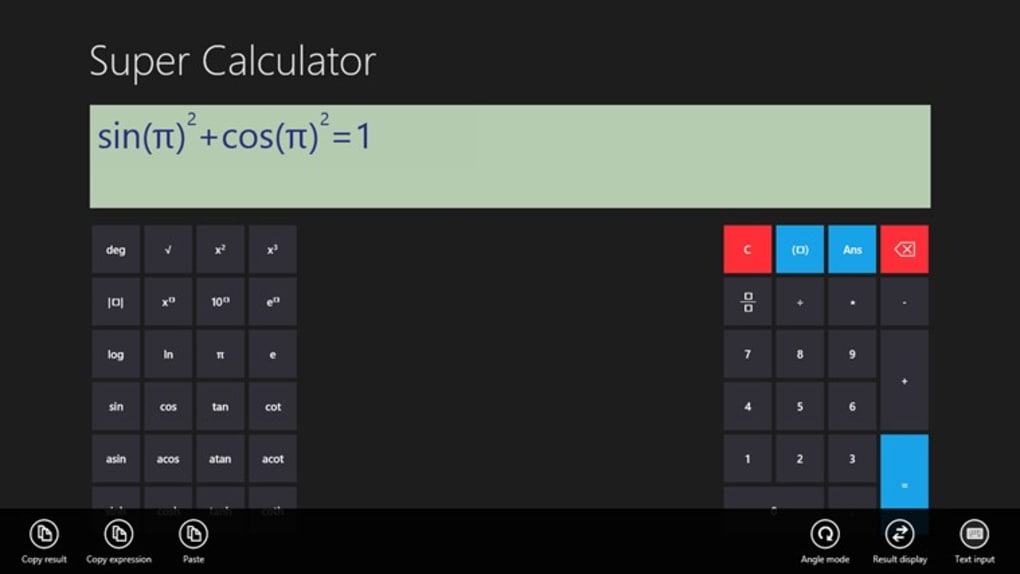
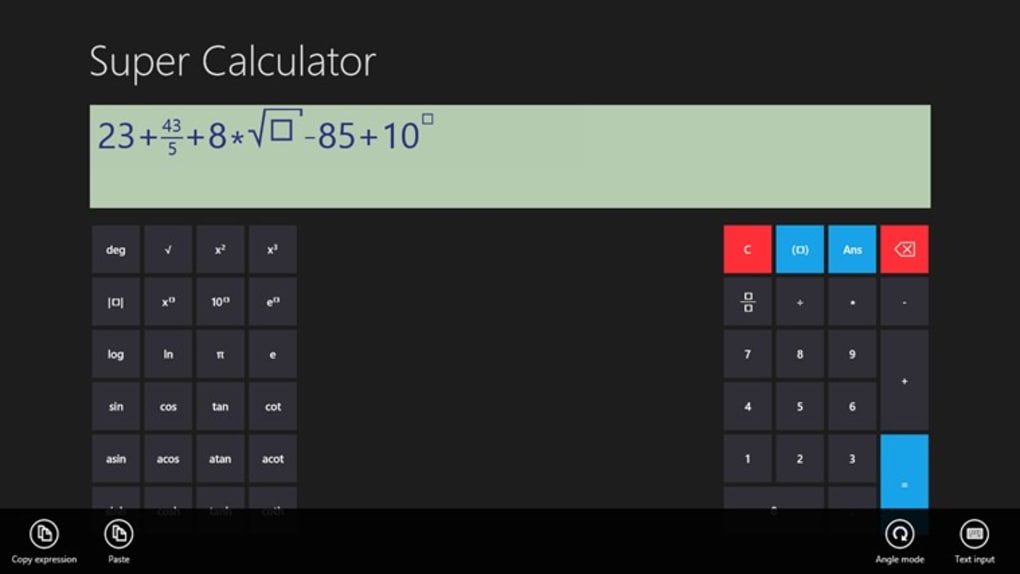
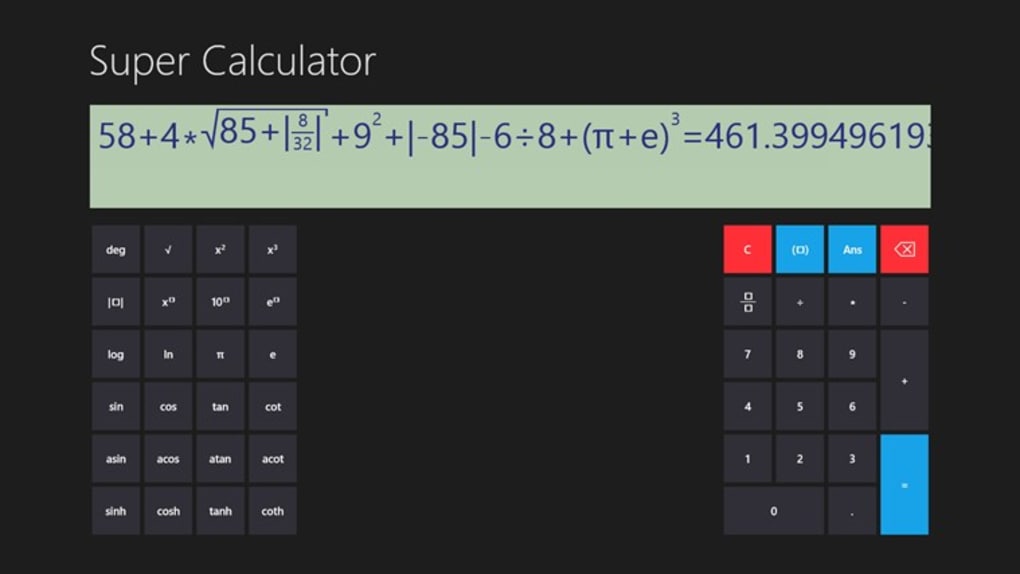
The UI is intentionally uncluttered: every key is clearly labelled, and the window can be maximised to fill the entire screen for easier viewing of large expressions. One of the standout capabilities is the graphical display that plots trigonometric functions in real time, a feature rarely found in standard Windows calculators. This visual feedback helps users understand the shape of sine, cosine, and tangent curves, making it an excellent teaching aid. Additionally, the program supports copy‑and‑paste operations, so you can bring data from spreadsheets or documents directly into the calculator, eliminating the tedious step of manual entry.
Because Super Calculator runs locally, it ensures that your calculations remain private and are not sent to external servers. The software receives regular updates that address bugs, improve performance, and occasionally add new mathematical modules. In short, Super Calculator bridges the gap between a simple desktop calculator and a full‑featured scientific tool, all while staying free and easy to install.
Key Features
- Graphical Trigonometry: Real‑time plotting of sine, cosine, tangent, and other periodic functions.
- Multi‑Mode Input: Keyboard shortcuts, mouse clicks, and touchscreen gestures are all supported.
- Three Display Formats: Standard, scientific, and engineering notation to suit any calculation need.
- Copy‑Paste Integration: Seamlessly import numbers or expressions from other applications.
- Resizable Interface: Expand the window to full screen for better visibility of complex formulas.
- Lightweight Footprint: Only 271 KB of storage required, leaving ample space for other programs.
- Offline Security: All calculations are performed locally, ensuring privacy.
- Regular Free Updates: Automatic notifications for bug fixes and new features.
- Customisable Themes: Choose light or dark mode to match your desktop environment.
- Multi‑Language Support: Interface available in English, Spanish, French, German, and more.
Each of these features has been engineered with user convenience in mind. For example, the graphical trigonometry module not only draws the curve but also allows you to hover over points to see exact coordinate values, a handy tool for quick verification of results. The three display formats let you switch on the fly: the standard view is perfect for everyday math, the scientific view adds exponential and logarithmic functions, while the engineering view automatically formats numbers with appropriate SI prefixes.
The copy‑paste capability dramatically speeds up workflows for professionals who routinely move data between Excel sheets, code editors, and calculation tools. By simply pressing Ctrl + V, the imported expression appears in the calculator’s input field ready for evaluation. Moreover, the resizable interface adapts to high‑resolution monitors, ensuring that even the most intricate equations remain legible.
Installation, Usage & Compatibility
Step‑by‑Step Installation
Installing Super Calculator is straightforward. First, download the installer from the official website. The file is a small .exe package that launches a wizard.
Click “Next” to accept the license agreement, choose the destination folder (the default location works for most users), and hit “Install”. The process takes less than a minute on modern hardware. After installation, a shortcut appears on the desktop and in the Start menu, allowing instant access.
For users who prefer portable applications, a zip version is also available. Simply extract the archive to any folder and run SuperCalculator.exe—no admin rights are required, making it ideal for use on shared or restricted computers.
How to Use the Tool Effectively
Once launched, the main window presents a numeric keypad, function keys, and a display bar. You can type numbers directly from your keyboard or click the on‑screen buttons. To switch between display modes, use the toolbar icons or press Ctrl + M. For trigonometric graphing, select the “Graph” tab, enter the function (e.g., sin(x)), and press “Plot”. The graph updates instantly, and you can zoom with the mouse wheel.
The application also supports history navigation: pressing the up arrow cycles through previous calculations, while the down arrow moves forward. This feature is particularly useful when testing variations of a formula. If you need to clear the entire session, click the “Clear All” button or press Ctrl + Shift + C.
System Compatibility
Super Calculator is built for Windows 10, Windows 11, and also runs smoothly on Windows 8.1 (with limited UI scaling). The software leverages the native Win32 API, ensuring fast performance even on older machines. Minimum system requirements include a 1 GHz processor, 512 MB RAM, and at least 5 MB of free disk space. Because it uses standard Windows libraries, there is no need for additional runtimes such as .NET or Java.
Users on Windows 10 S mode can install the app from the Microsoft Store, where it is verified for security and compatibility. The program is also compatible with high‑DPI displays, automatically adjusting icon sizes and text for crisp rendering.
Pros and Cons
Advantages
- Completely free with no hidden ads or subscription fees.
- Extremely lightweight – only 271 KB of storage.
- Advanced graphical trigonometry that visualises functions in real time.
- Supports keyboard, mouse, and touchscreen input for flexible usage.
- Copy‑paste functionality streamlines workflow across applications.
- Three display modes cater to casual, scientific, and engineering calculations.
- Regular updates keep the software secure and add new features.
- Offline operation guarantees privacy of your calculations.
Drawbacks
- No native macOS or Linux version – limited to Windows platforms.
- Graphing capabilities are focused on trigonometric functions; advanced plotting (e.g., parametric) is absent.
- While the UI is functional, it lacks the polish of commercial scientific calculators.
- No built‑in unit conversion library beyond basic metric prefixes.
Frequently Asked Questions
Is Super Calculator completely free or does it contain ads?
Super Calculator is 100 % free. The developers have chosen not to embed advertisements, so you get an uninterrupted, clean calculation experience.
Can I use Super Calculator on a laptop without internet access?
Yes. Because the application runs locally, it does not require an internet connection after installation. All calculations are performed offline.
Does Super Calculator support custom themes or dark mode?
The program includes both light and dark themes. You can switch between them in the Settings menu, and the UI automatically follows the Windows system theme if you enable that option.
How often are updates released and are they automatic?
Updates are released roughly every 3–4 months. The app checks for new versions at startup and prompts you to download and install the update with a single click.
Is there a portable version that can run from a USB drive?
Yes, a portable zip archive is available on the official download page. Extract it to any folder or USB stick, run the executable, and you can use Super Calculator without installing it on the host computer.
Conclusion & Call to Action
Super Calculator stands out as a powerful, free, and lightweight mathematical tool for Windows users. Its combination of basic arithmetic, scientific functions, and real‑time trigonometric graphing makes it suitable for a wide audience—from high‑school students tackling algebra to engineers needing quick unit conversions. The absence of ads, the offline‑first design, and the regular update cycle all contribute to a trustworthy user experience. While the lack of macOS or Linux versions and the limited advanced plotting may be drawbacks for niche users, the overall value proposition is compelling for anyone seeking a reliable desktop calculator.
Ready to boost your productivity and perform complex calculations without leaving your desktop? Download Super Calculator now and enjoy a secure, fast, and feature‑rich calculation experience—completely free of charge.







